TntDrive 2.8.5 Release Notes Added support for S3-compatible storages Added support for Amazon S3 Compatible Storage Providers
Data integrity check when uploading files to Amazon S3 You can now use MD5 hashes to ensure that data is not corrupted traversing the network. When you use this option, Amazon S3 checks the file against the provided MD5 value and, if they do not match, returns an error. Please note, additional time may be required to calculate hashes for large files. To enable data integrity check: Open Tools, Options, General and turn on corresponding check-box. 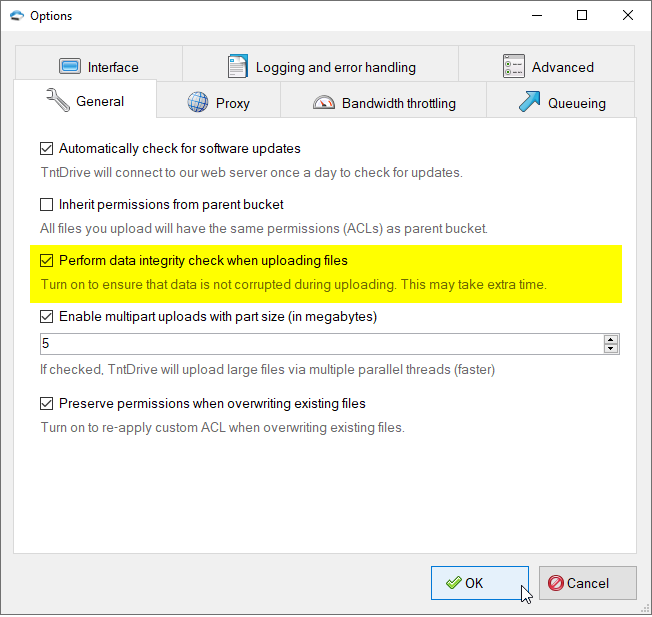
How to enable data integrity check
How to read files with GLACIER Storage Class Recently Amazon S3 Team announced new feature that allows you to schedule automatic archiving to Amazon Glacier. Files that were moved to Amazon Glacier have GlACIER storage class and are not available immediately. You need to initiate the retrieval first and then wait about 4 hours.
|